Excerpt Tracker

Turn long excerpt lists into focused preparation.

Organize the work, track your progress, and arrive at audition day ready.

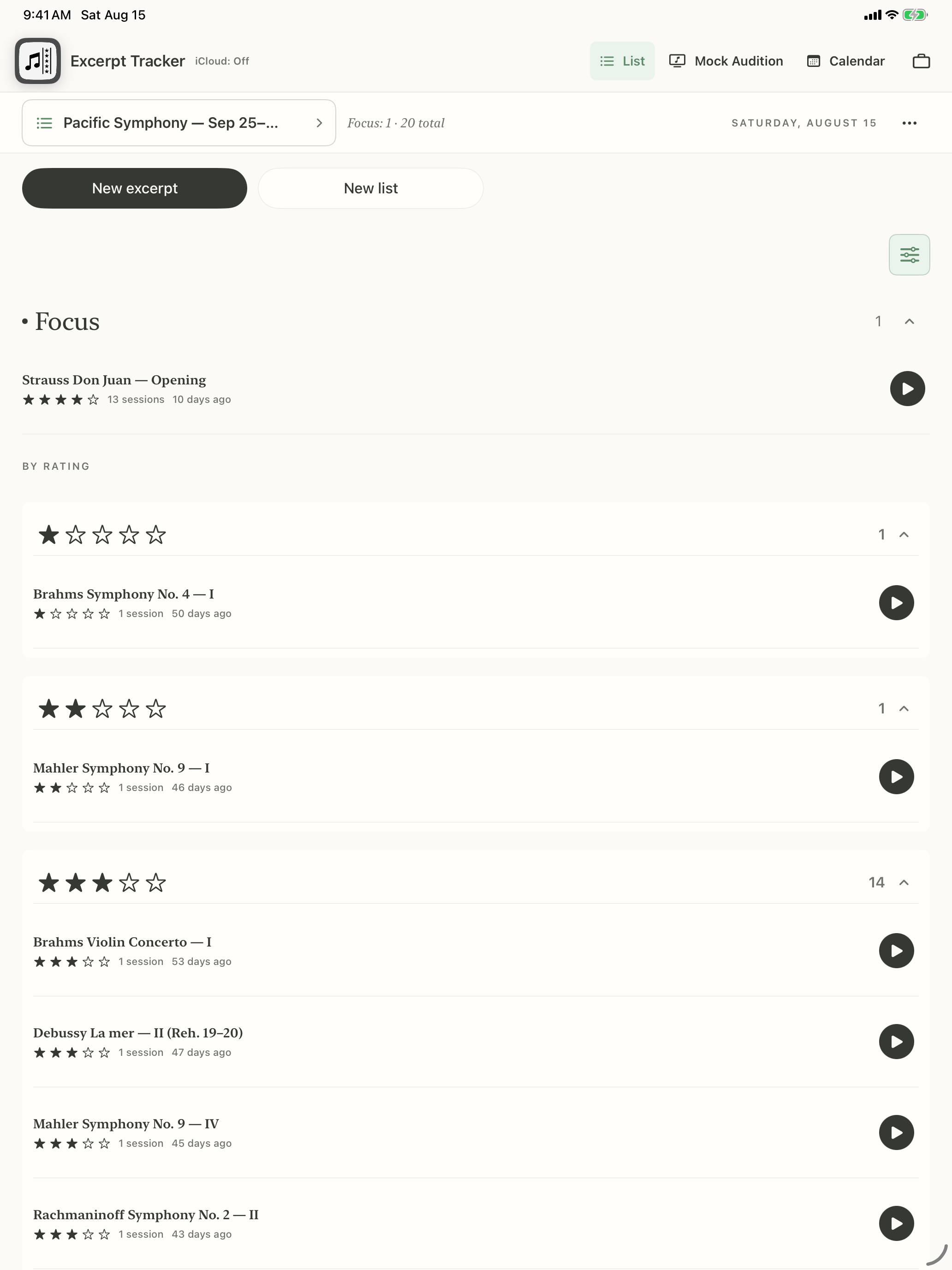
Excerpt Tracker on iPad showing Strauss Don Juan as the sole Focus excerpt, followed by one-, two-, and three-star groups in a violin audition list
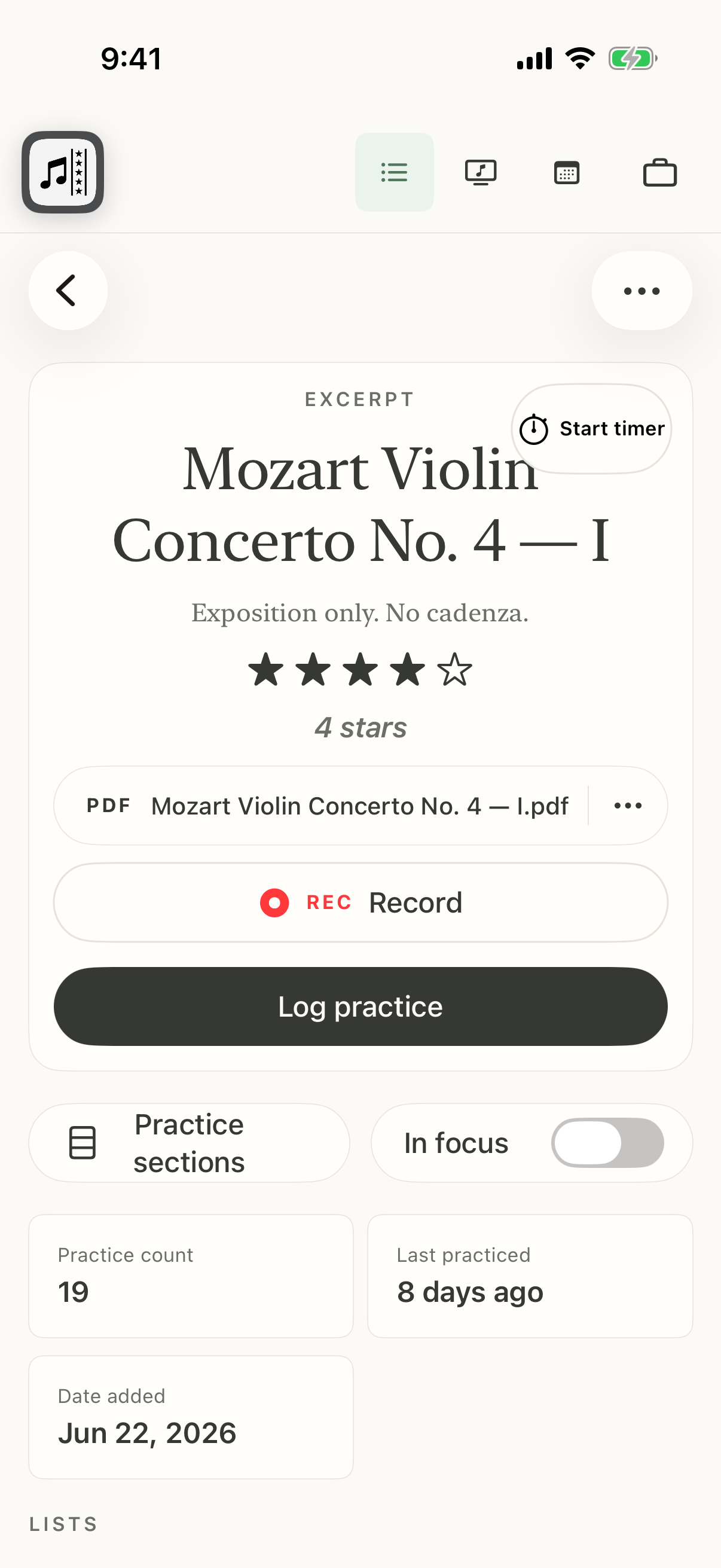
Excerpt Tracker on iPhone showing Mozart Violin Concerto No. 4 at four stars with its score attachment, the description “Exposition only. No cadenza.”, and practice controls

01

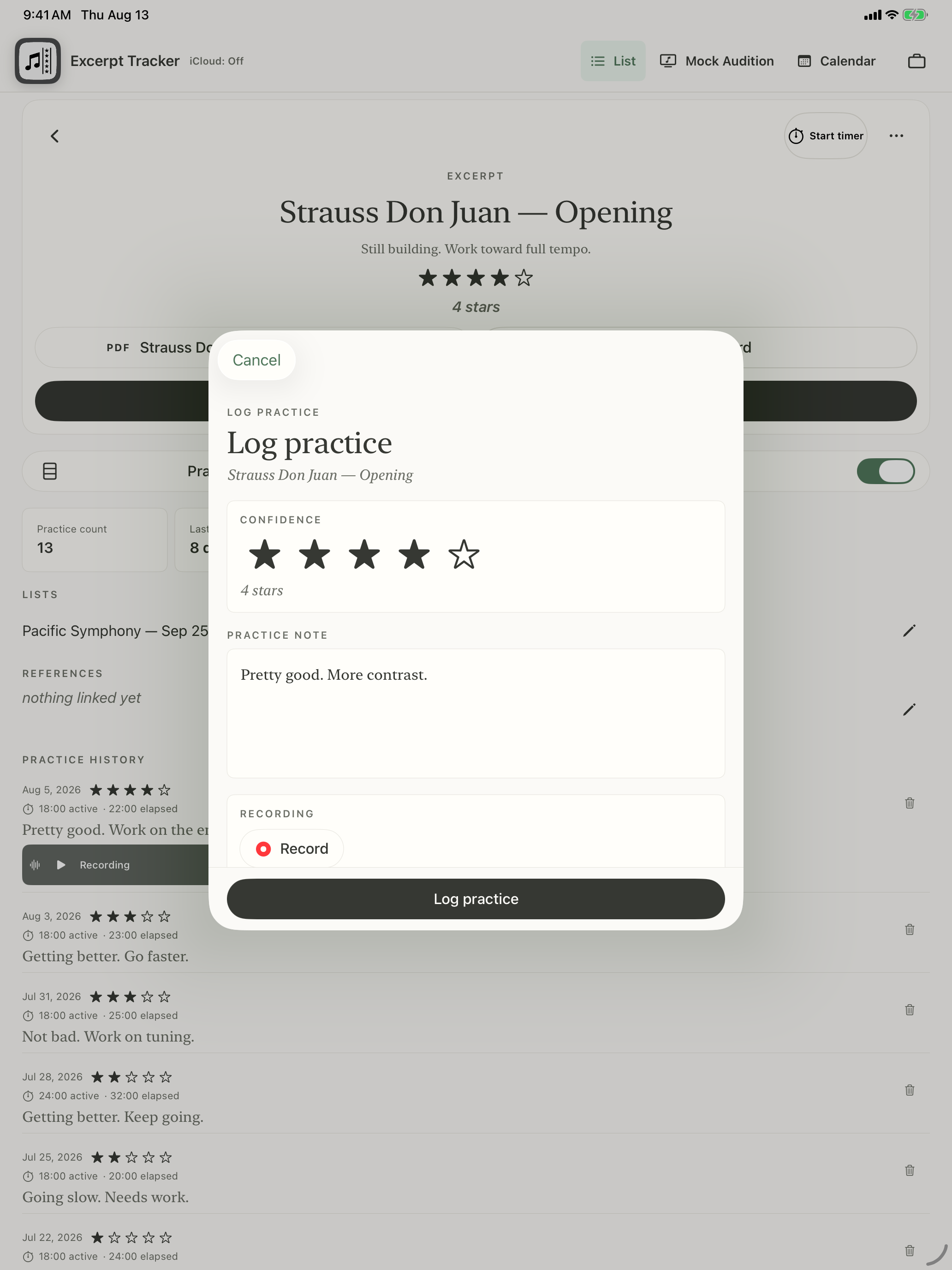
Log your practice and give your excerpt a simple confidence rating.

Log Practice sheet on iPad over Strauss Don Juan described as “Still building. Work toward full tempo.”, with a four-star confidence rating, practice note, and recording controls

02

Always know what to practice next with a list that sorts excerpts by confidence and time since played.
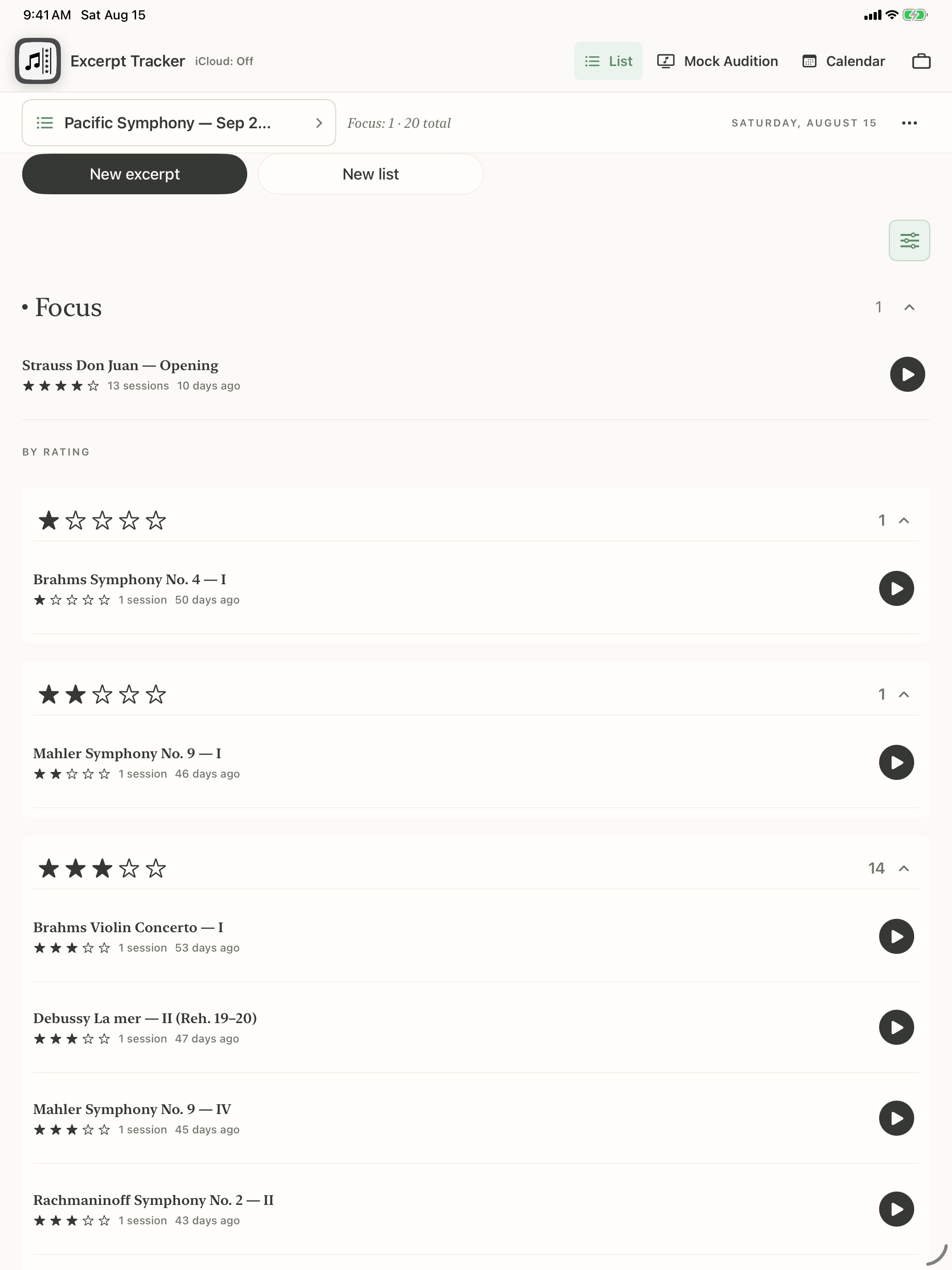
A violin audition list on iPad with Strauss Don Juan as the sole Focus item, followed by one-, two-, and three-star groups sorted by time since played

03

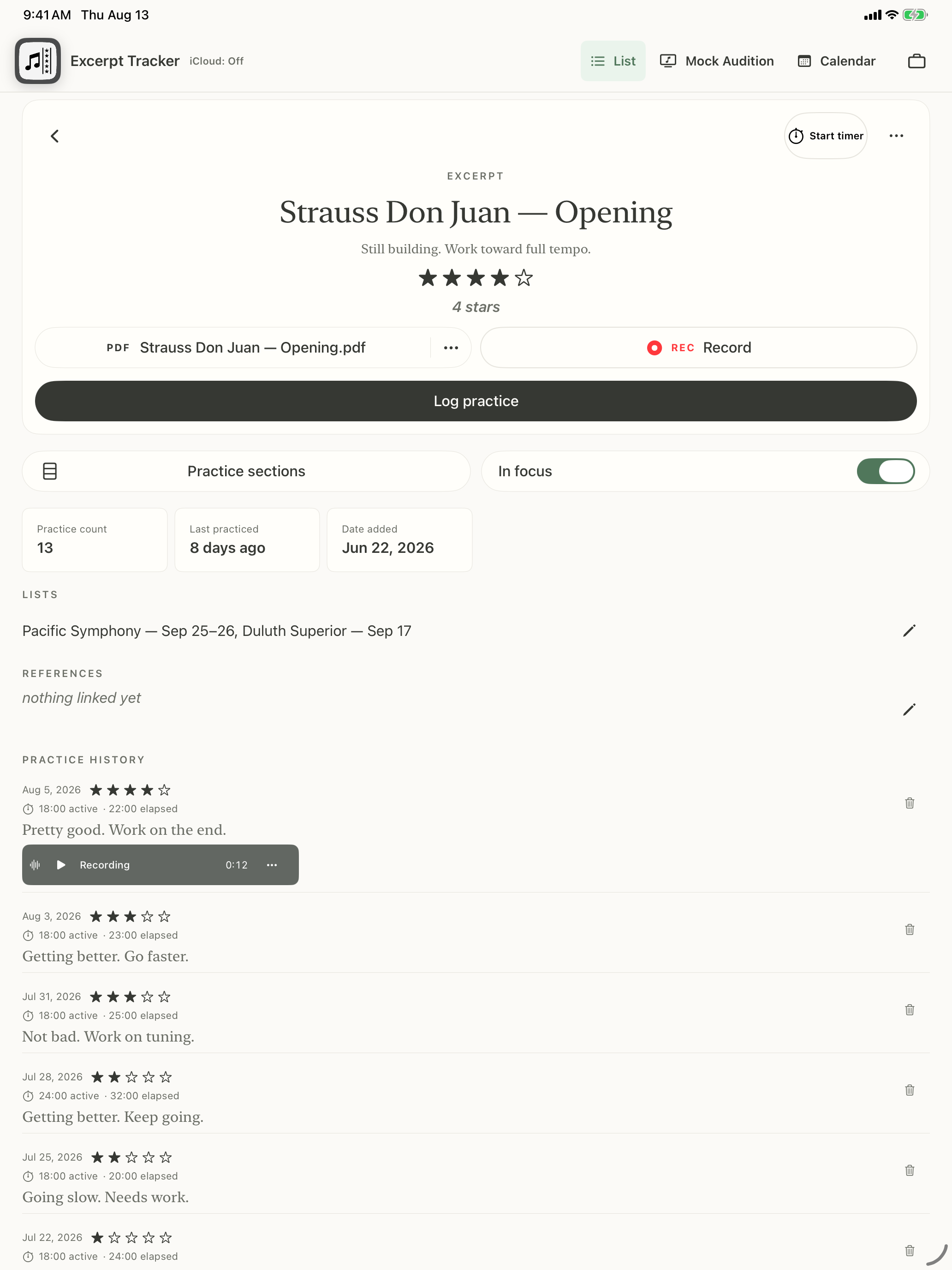
Pick up where you left off with dated notes and recordings from earlier sessions.

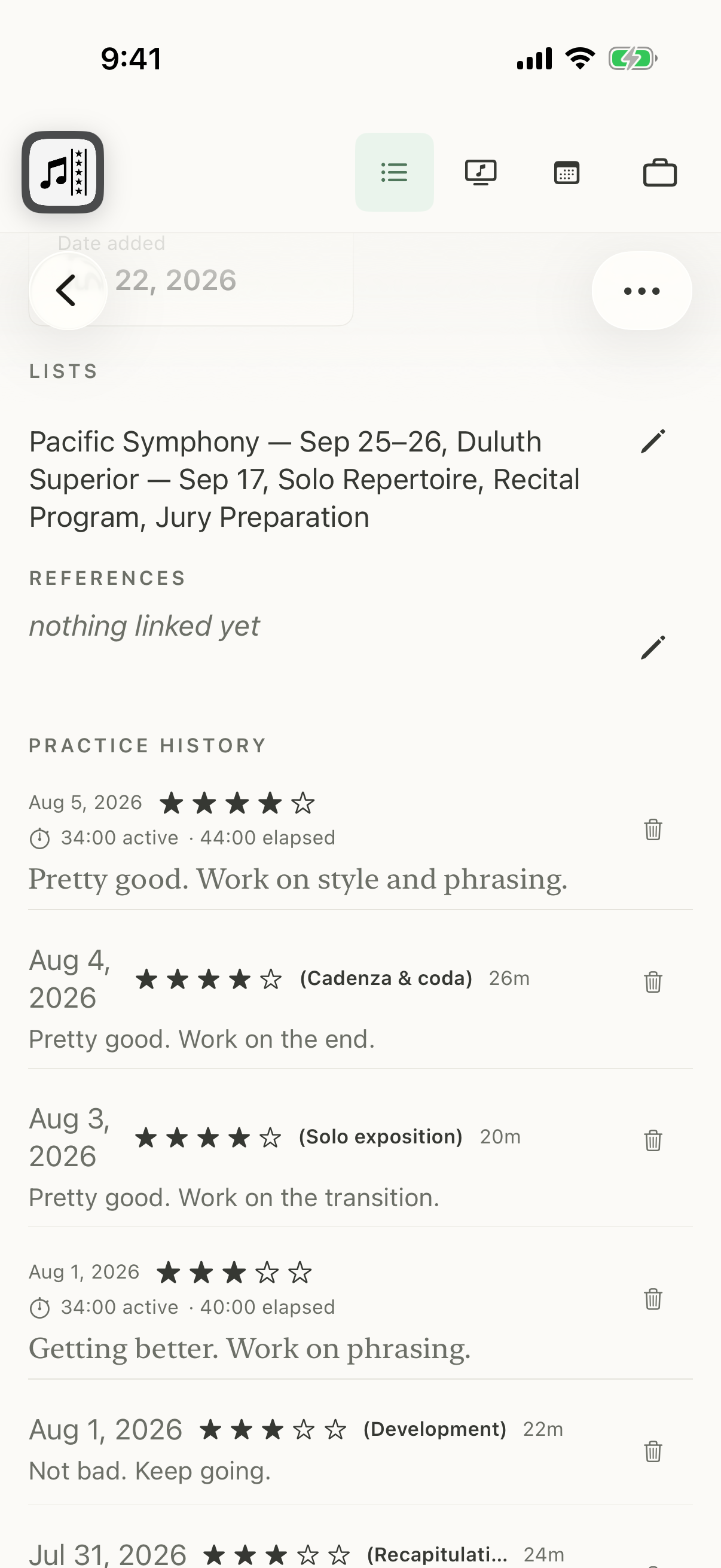
Strauss Don Juan excerpt details on iPad at four stars with the description “Still building. Work toward full tempo.”, an idle Record control, and an August 5 practice note containing a saved 12-second recording
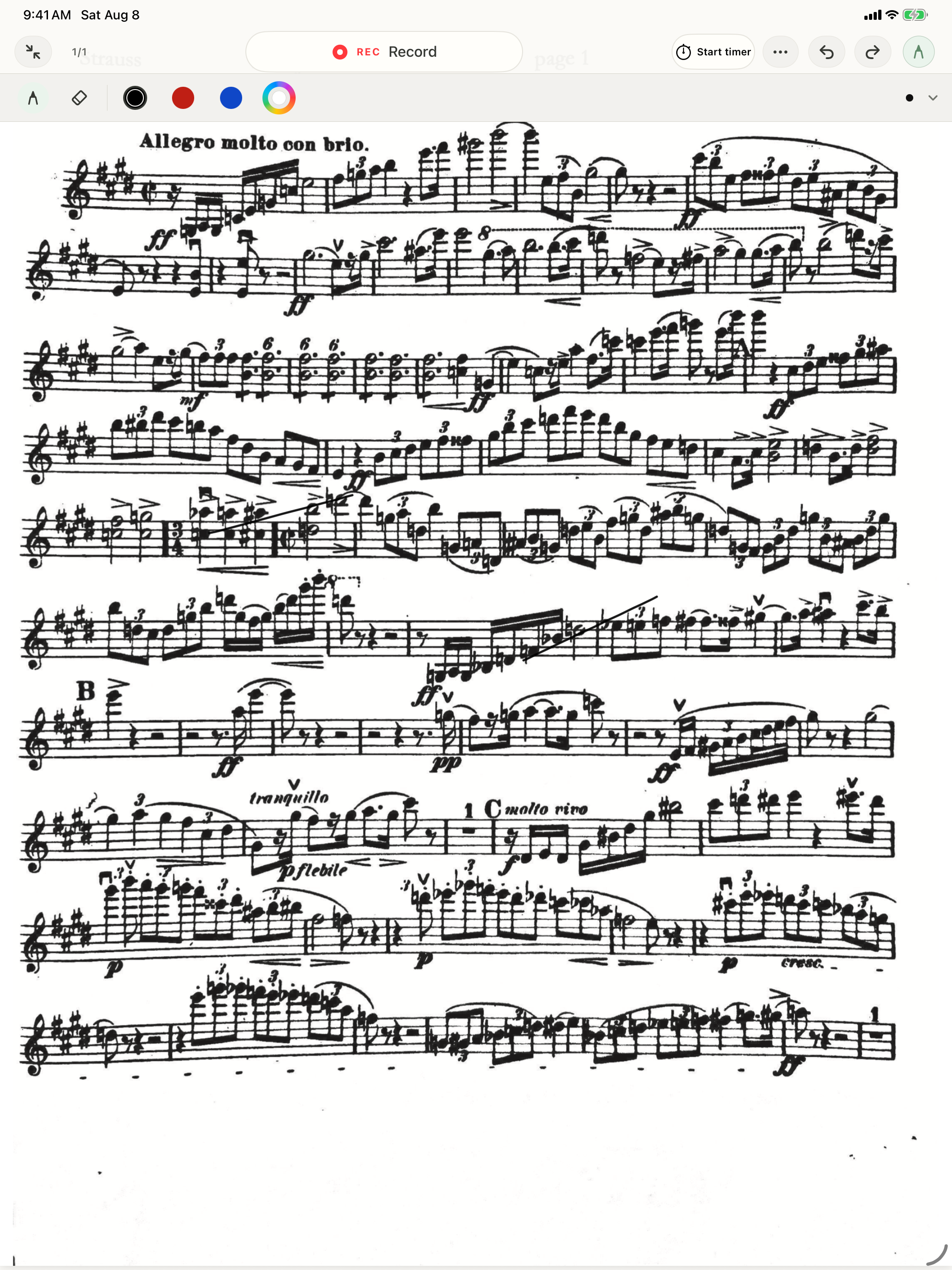
Strauss Don Juan — Opening in the iPad PDF reader with the annotation toolbar visible, no drawn annotations, and the complete first staff unobscured beneath the controls

04

Import or scan your music, then read and annotate it in the app's PDF reader.

05

See what you practiced and schedule practice days with the calendar view.

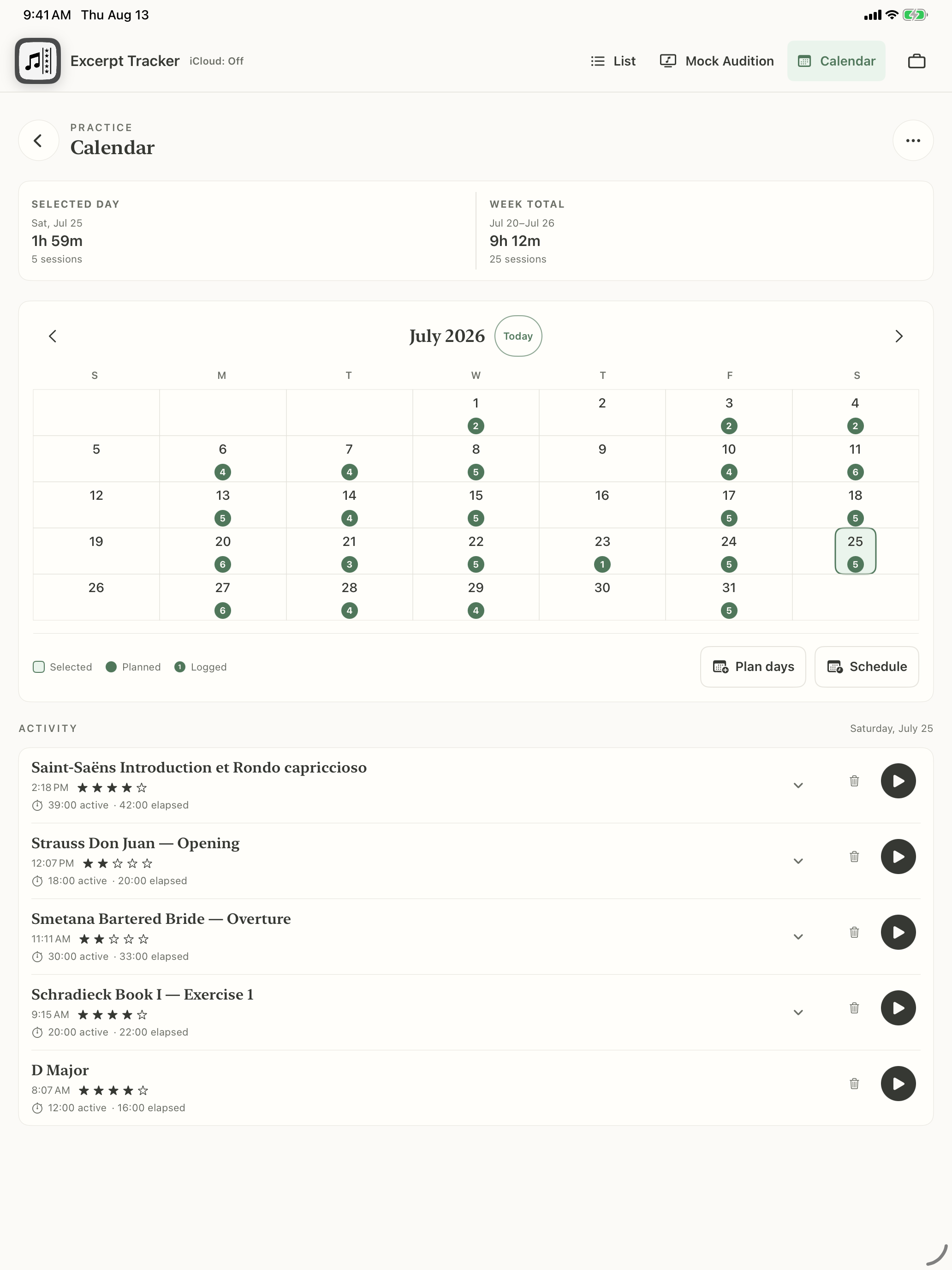
Practice calendar on iPad showing roughly five practice days per week and a selected day's completed activity

06

Assign excerpts to lists to stay organized.

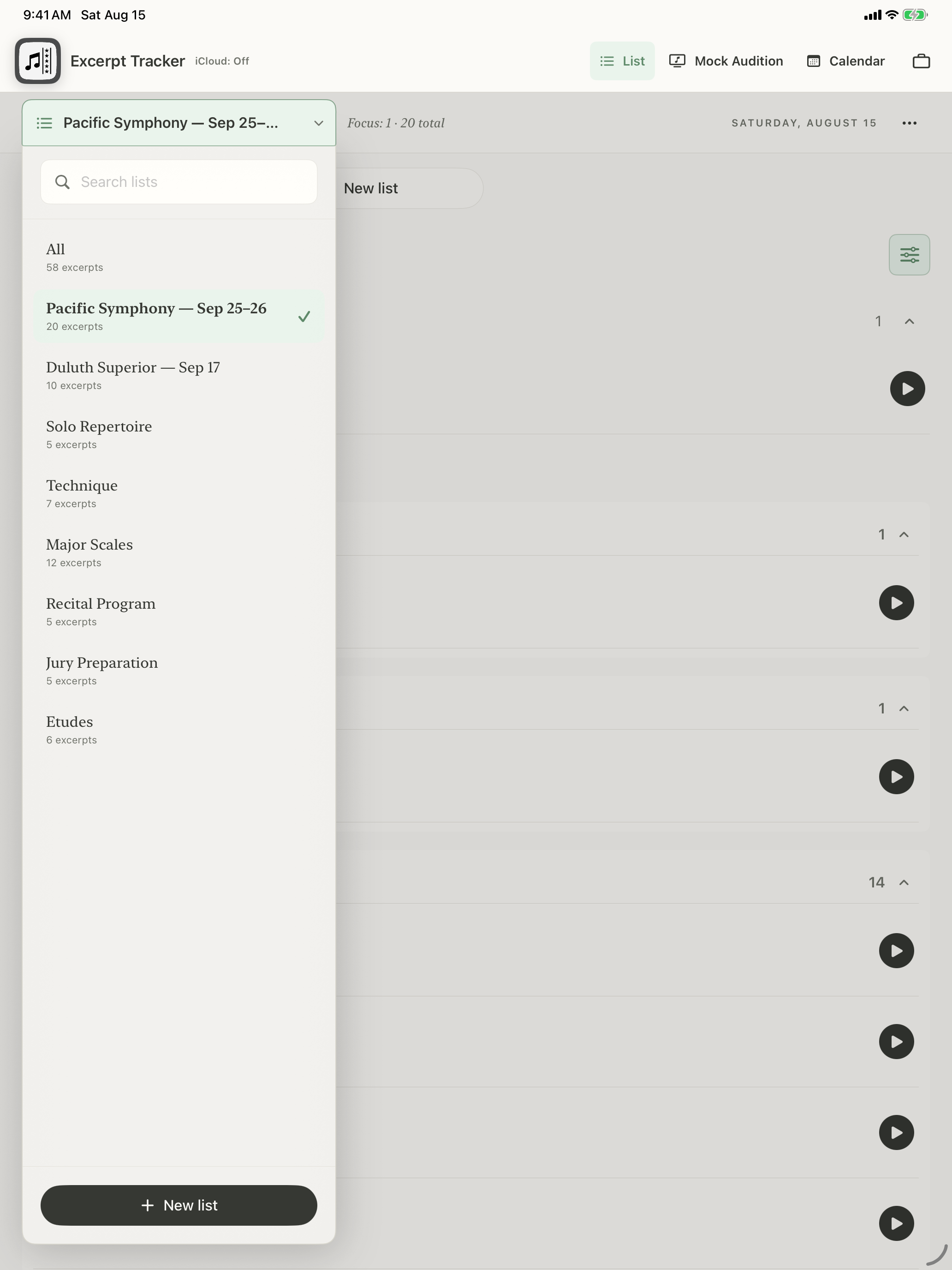
List picker on iPad with Pacific Symphony selected and two orchestra auditions, Solo Repertoire, Technique, Major Scales, Recital Program, Jury Preparation, and Etudes visible

07

Import an audition packet, divide its pages into individual excerpts, and save them as a list.

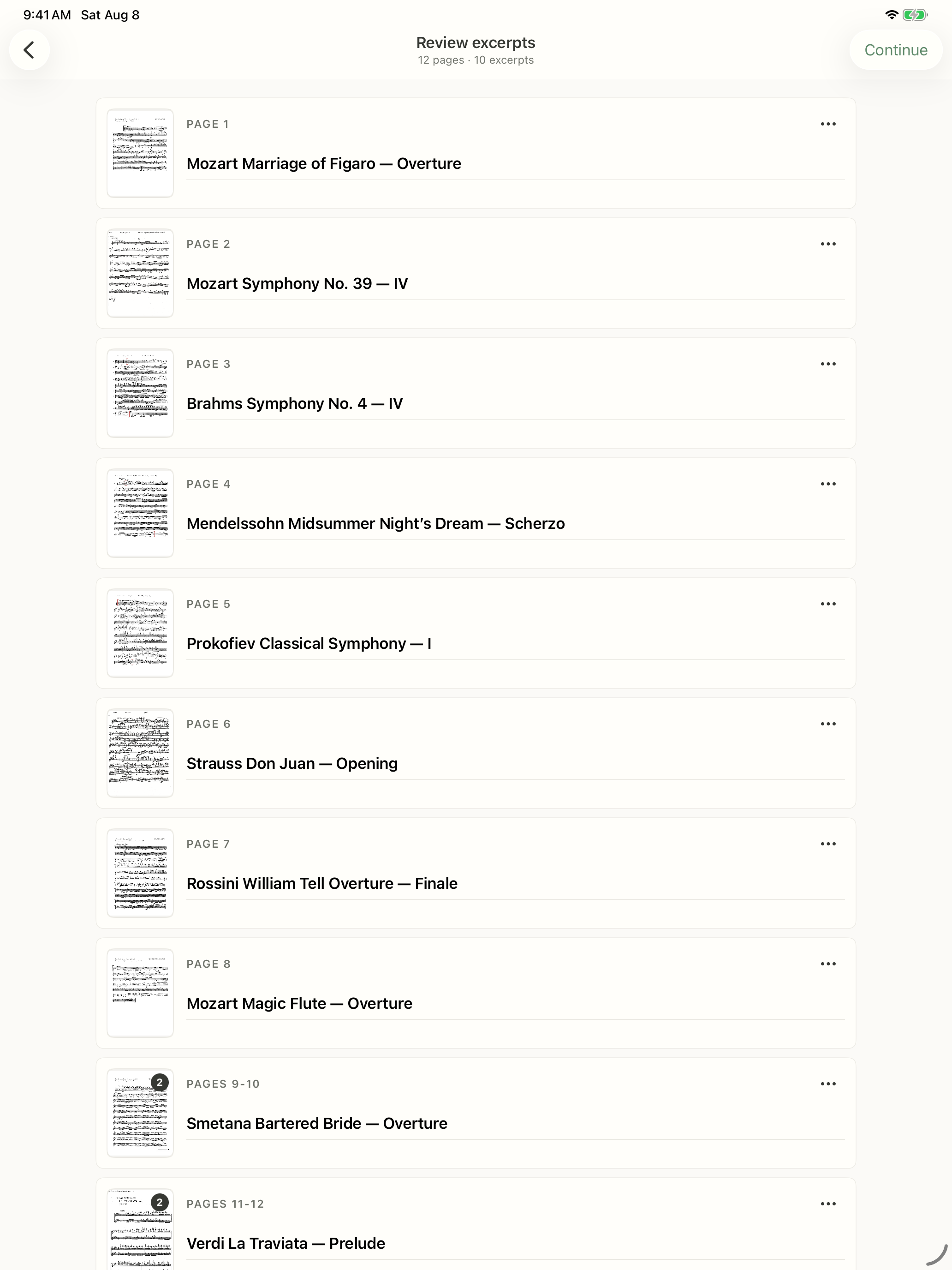
A violin audition packet divided into ten named excerpts on iPad

08

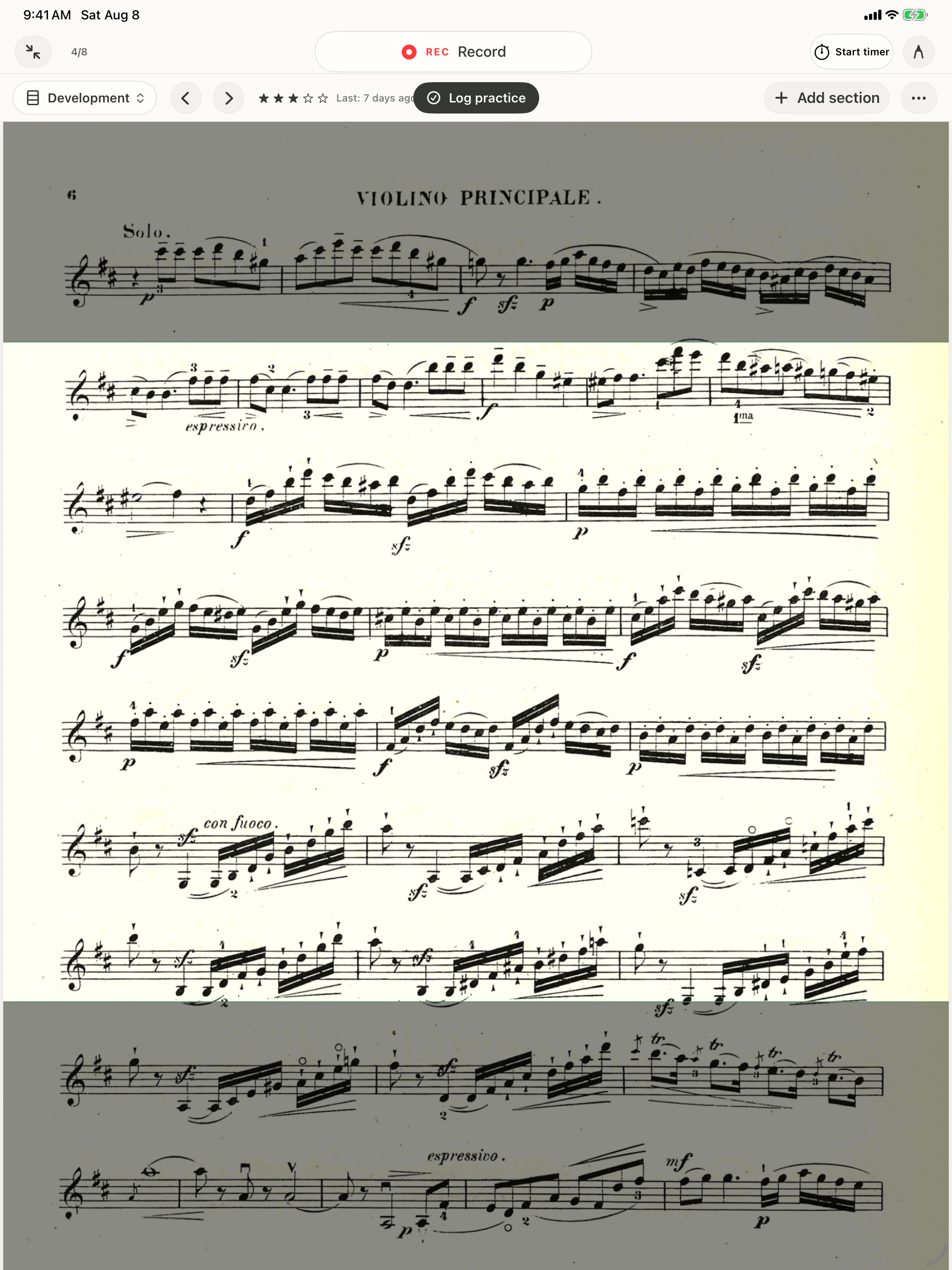
Split longer pieces into sections, dim everything outside the selected passage, and track progress section by section.

Mozart violin concerto section view on iPad with Development selected, keeping the active passage clear while music before and after it is dimmed

09

Create Mock Auditions and test your ability to play your excerpts in random order.

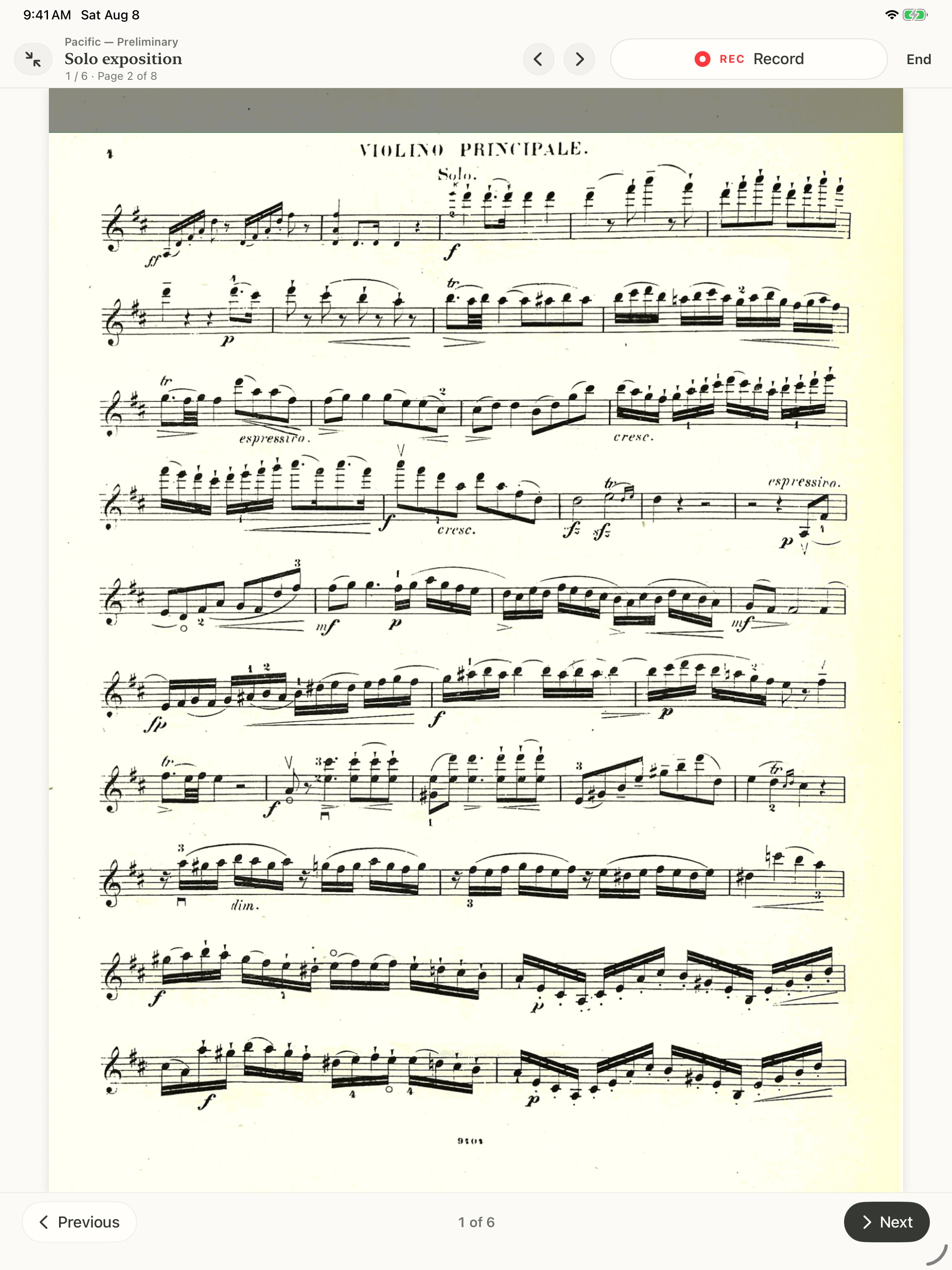
A live six-item Mock Audition on iPad showing one of the imported violin excerpts, its score, recording controls, and the next button

10

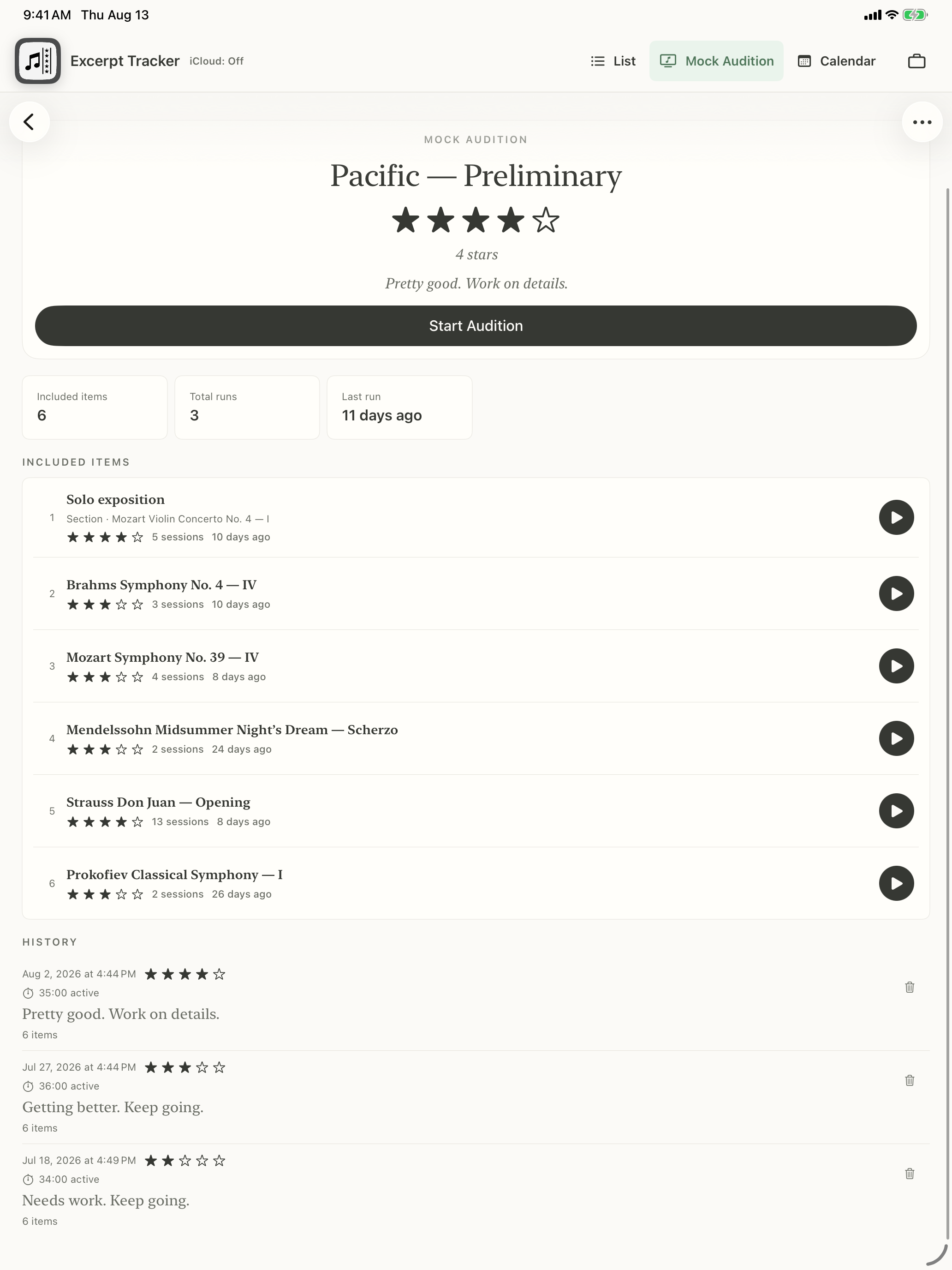
Log your thoughts after each run and see your overall Mock Audition rating improve over time.

Pacific Preliminary Mock Audition history on iPad showing three completed six-item runs improving from two to four stars, with dated notes and durations

11

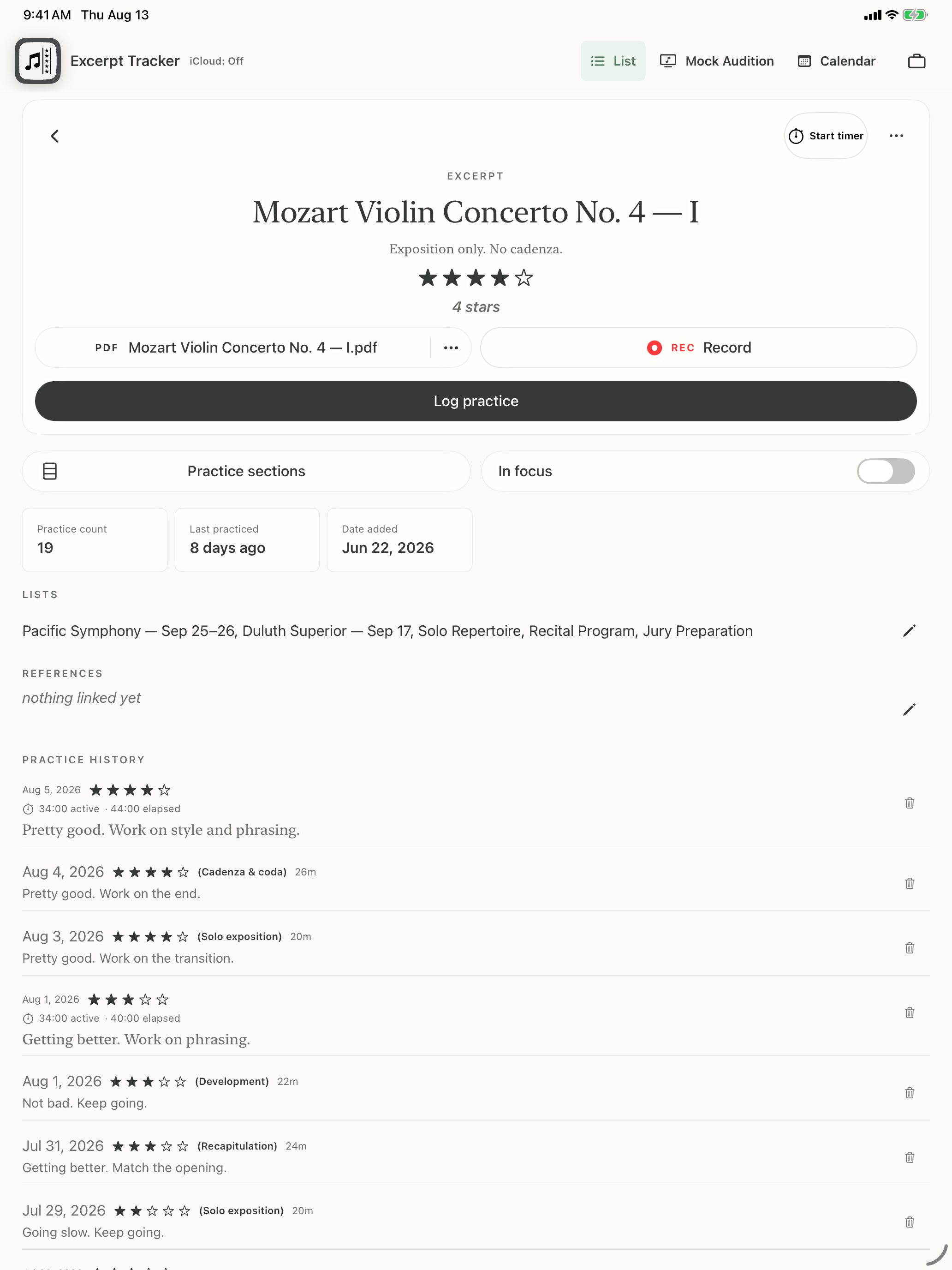
Keep your library and practice history in step across iPad and iPhone with iCloud.

Mozart Violin Concerto No. 4 on iPad at four stars with the description “Exposition only. No cadenza.” and dated practice notes from July 29 through August 5
The same August 5 Mozart violin concerto practice entry shown on iPhone

Excerpt Tracker

Turn a long audition list into a clear practice plan.

See steady progress across every excerpt as audition day gets closer.

Designed specifically to help musicians prepare for demanding auditions and performances.
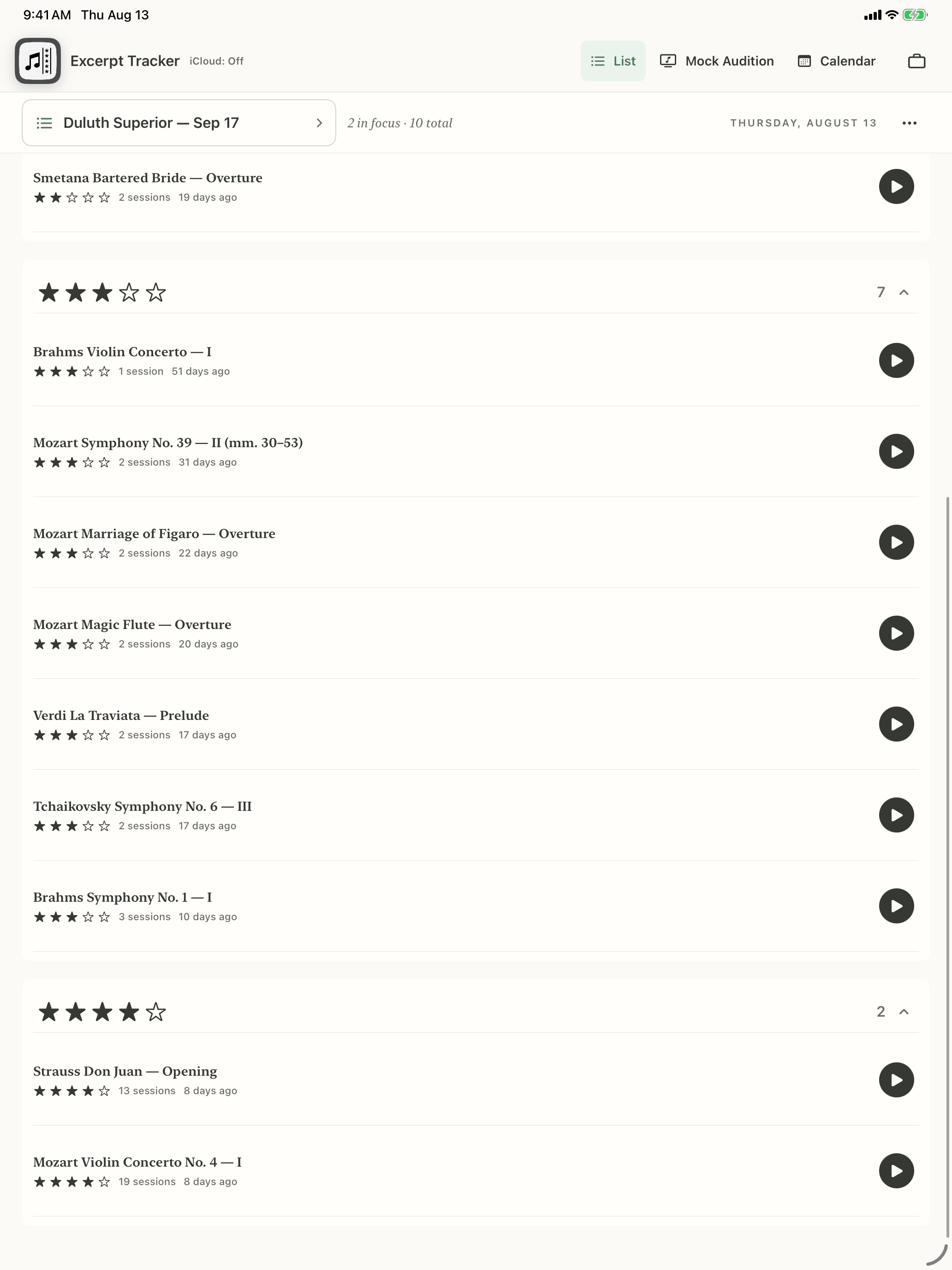
A violin audition list on iPad showing believable progress through varied confidence ratings, session counts, and recent practice dates

Excerpt Tracker

Excerpt Tracker is coming soon.

At launch, try it free for 7 days, then unlock it for a one-time purchase of $24.99.